How to do it
On Mondays, we ditch the phones.
Start with small experiments or go cold turkey. It’s up to you.
Make a little room for Monday.
You’ll have the best chance of success with a little bit of preparation.
Identify what, if any, phone use you might need, who needs to know about your plans, and how people can reach you urgently.
Then make a few arrangements: try analogue alternatives, set app blockers, or check whether your smartwatch can handle essential tasks while the phone stays out of reach.
Below are practical ways to make it work.
Out of sight!

Personal plan
A few arrangements beforehand.
Remember, no one is grading you. Try out different approaches, if it doesn’t work it’s not a moral failing. Aim for a perfect phone-free day or a modified version; if just a morning, afternoon, or evening is more achievable, start there.
Deciding to use your phone less is a start. If the first attempt doesn’t stick, adjust and carry on.
Set yourself up for success with these tips.
My Monday plan
0 of 6 sorted
It stays in this browser and is never sent to us. Untick it and it is forgotten.
Some handy tips.
- Think ahead. Walk through your Monday. Does your phone wake you up, hold your train ticket, or keep you in touch with someone who needs you? Work out what needs to stay and what can take the day off.
- Do a little detective work. Before your first Monday, spend a day noticing what you use your phone for. Separate the essentials from the habit-checking, and look for things another tool could do.
- Give your hands something else to do. Reach for your phone with your morning coffee? Between tasks? Put a newspaper, crossword, or notebook within reach instead.
- Set yourself up on Sunday. Set the alarm clock, sort your travel ticket, and check that essential calls can get through. Monday morning isn’t the moment to discover your plan needs a plan.
- Keep what works. Found you prefer a book on the train or breakfast without the scrolling? There’s no need to save it for Mondays. Take the useful bits into the rest of your week.
What can be analogue?
We’ve already mentioned giving an old school alarm clock a go…
Here are a few more you can swap out for analogue alternatives.
Calls
A landline, if you have one. Give the number to anyone who may need you.
Notes and reminders
A pocket notebook and pen for shopping lists, things to do, and thoughts.
News and reading
Read a book, newspaper, or magazine.
Photos
You can pick up a disposable camera or get polaroid cameras now for fairly cheap.
Music and listening
A radio, a walkman, ipod, or a CD or record player. For podcasts, check whether you can listen on a separate player.
Write a letter
Got something to say? What if you wrote a letter instead? It doesn’t have to be a memoir, try leaving notes or doodles for housemates.
Dates and plans
A wall calendar, paper diary, or pocket planner can work. Copy across the appointments and details you’ll need for Monday.
Payments
Use your debit card instead of your phone’s wallet. Or even experiment with cold hard cash.
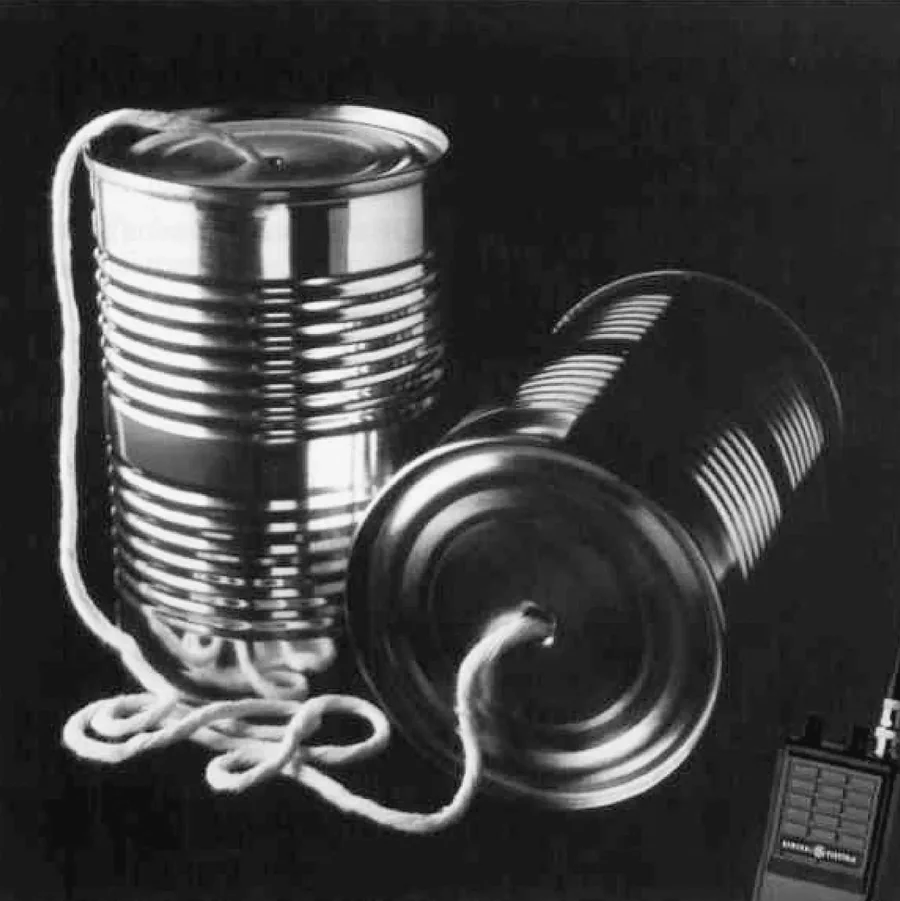
Keep the essentials working.
You should be able to come away from a Monday having spent less time (or no time!) scrolling, casually browsing, shopping, playing games, refreshing the news, or checking messages simply because there’s a gap.
Work can make putting the phone away more complicated. Harvard Law School’s Sharon Block points out how technology has blurred the boundary between work and personal time. Disconnecting isn’t always something an individual can decide to do on their own.[1]
If your job needs you on the phone, keep that in the plan. Agree with colleagues or your manager when you need to be reachable, which tools you need, and what can wait. You don’t have to vanish from the working day to take part.
If you need your phone for part of Monday, give the other apps the day off. Start with the controls already on your phone: Screen Time on iPhone or Digital Wellbeing on Android.
For a little more help leaving them alone, try an app blocker. Some add a pause before an app opens; others block selected apps for a set period. Choose what suits, and check that the calls, alerts, and tools you need still work before Monday.
Check out some of these apps or tools, if you think they will help. You can usually schedule restrictions to repeat each week.
Freedom
Allows you to block specific apps and custom website lists simultaneously across iOS, Android, Mac, and Windows. It features a "Lockdown Mode" that prevents you from editing your blocklists mid-session if you try to cheat your own rules.
AppBlock
You can automate your blocks based on specific times, your GPS location, or even when you connect to your work Wi-Fi. Its "Strict Mode" makes it incredibly difficult to bypass or uninstall the app while a session is active.
Opal
Unlike basic timers, Opal can completely sever your access to distracting apps. Its "Deep Focus" mode cannot be cancelled early, providing a true software lockout.
one sec
Instead of blocking an app completely, it forces you to take a deep breath for a few seconds before the app opens. This intentional friction breaks the subconscious loop of tapping on social media out of boredom.
Brick
This is a physical, plastic square that stays on your desk or fridge. You open the app, choose up to 50 apps to block, and tap your phone to the Brick. The apps remain completely greyed out and inaccessible until you physically walk back and tap the Brick again to remove the block.
Appstinence
A Gen Z-led movement and student organization founded at Harvard by graduate student Gabriela Nguyen that encourages people to completely step away from social media, smartphones, and addictive tech.
Give your phone a home.
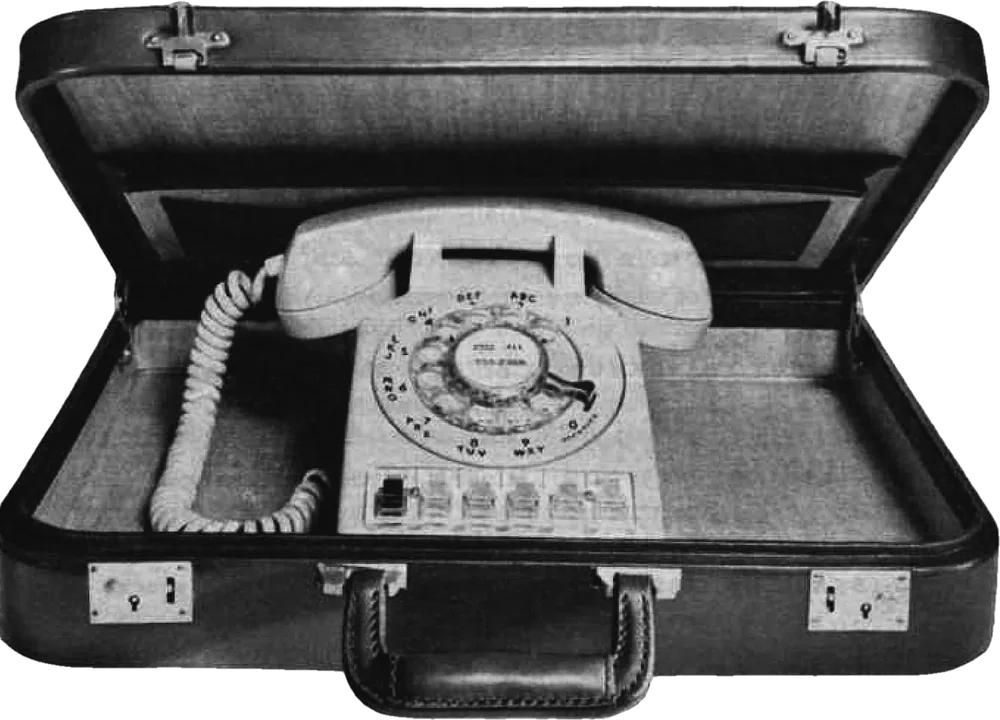
Having to get up to fetch it gives you a moment to ask, “What did I want it for?”
Giving your phone a special place to spend Mondays means you don’t have to keep deciding whether to pick it up every time you see it.
If you’ve set your phone so only essential calls and alerts can get through mute or Do Not Disturb, test those settings before Monday. Ask one of your chosen contacts to call, and check you can hear the phone from wherever you’ve put it. Out of sight shouldn’t necessarily mean out of earshot. Keep it charged, with the ringer loud enough to reach you.
If you choose a timed lock box, sort out urgent contact and access to any health or safety tools before setting the timer.
Every Monday · #MobileFreeMondays
One day a week
Make a personal commitment to try Mobile Free Mondays. No donation, petition, or proof required. Make the pledge.
A campaign by The Dead Good Club
Reach out
Ask one other person.

Talking point
Monday is easier when the people around you know what you’re up to. Let your inner circle in on your plans.
Do this before Monday, not on Monday! Tell them why you fancy trying it, when you’ll be out of touch, and when they can expect to hear from you. Ask your besties to save non-essential messages for Tuesday, and agree how they’ll reach you if something can’t wait.
If someone relies on you, work out the arrangements together. Keep the contact they need, and test your agreed way of getting through before Monday. They shouldn’t have to guess whether you’ve seen an urgent message.
If you’re keeping calls or alerts on your phone, check that they get through your settings and that you can hear them from wherever you’ve put it. Keep it charged and accessible when needed.
If you’d rather use your smartwatch for essential calls, check that your particular watch and plan can handle them with the phone put away.
This is all worth a trial run beforehand.
And ask if they fancy joining you. You could make a lunch date, go for a walk, or spend an evening together without the phones on the table. Having someone to try it with gives you a chance to compare notes and encourage each other next week.
They can also help you along without putting their own phone away. And they’ll be one less person pinging you in the WhatsApp chat.

Mobile
Free
Mondays

Just one quick look?
Tempted to look at your phone? If it can wait, jot it down and finish what you were doing. Try a few minutes before checking: have a drink of water, stretch your legs, take a breath, or chat with somebody nearby. Then see whether you still want to look.
If your hands are looking for something to do, a pencil, a puzzle, some knitting, or something to fiddle with might suit. You can also leave a spare moment unfilled. Look out a window and take in your surroundings. Give your thoughts a chance to go somewhere the algorithm hasn’t suggested.
Austin Kleon, author of Steal Like an Artist, makes a case for giving yourself the chance to be bored. With endless entertainment sitting in our pockets, he argues, we hardly ever let ourselves get there. His advice? Let yourself get properly bored to stimulate creativity.
Filmmaker David Lynch believed the same and advocated for under-stimulation, daydreaming, and intentional routine to foster creativity. In his book Catching the Big Fish: Meditation, Consciousness, and Creativity, he used fishing as a metaphor for finding ideas and allowing the mind the quiet space it needs. This is how to catch those ‘fish’.
Think of it as leaving a little room for your imagination. Let a half-formed idea wander about without immediately looking something up. Perhaps you’ll think of something to make, a different way around a problem, or a gloriously daft question. Follow whatever catches your interest.
And if Monday has other ideas?
Perhaps work got hectic or you picked up the phone and stayed on it longer than you meant to. That’s okay!
There will always be another Monday to try again.
On a phone? Copy the Google link and paste it into your browser (like Chrome or Safari), rather than letting the Google Calendar app open it.
Mobile Free Mondays · A Dead Good Club campaign
Every Monday · #MobileFreeMondays